If you are planning to build a website for your business, you may have already heard about WordPress, React, custom development, Shopify, and many other technologies.
This can make one question difficult to answer:
“Which technology is actually right for my business?”
You may think that a modern business website needs React or completely custom development. But that is not always true.
For many small and medium-sized businesses, service businesses, agencies, consultants, educational organizations, online stores, and content-based businesses, WordPress can be more than enough.
In fact, WordPress can handle much more than a simple company website.
The important thing is not to choose technology just because it is popular. You should choose technology based on what your business needs today and what it may need in the future.
In this guide, we will look at:
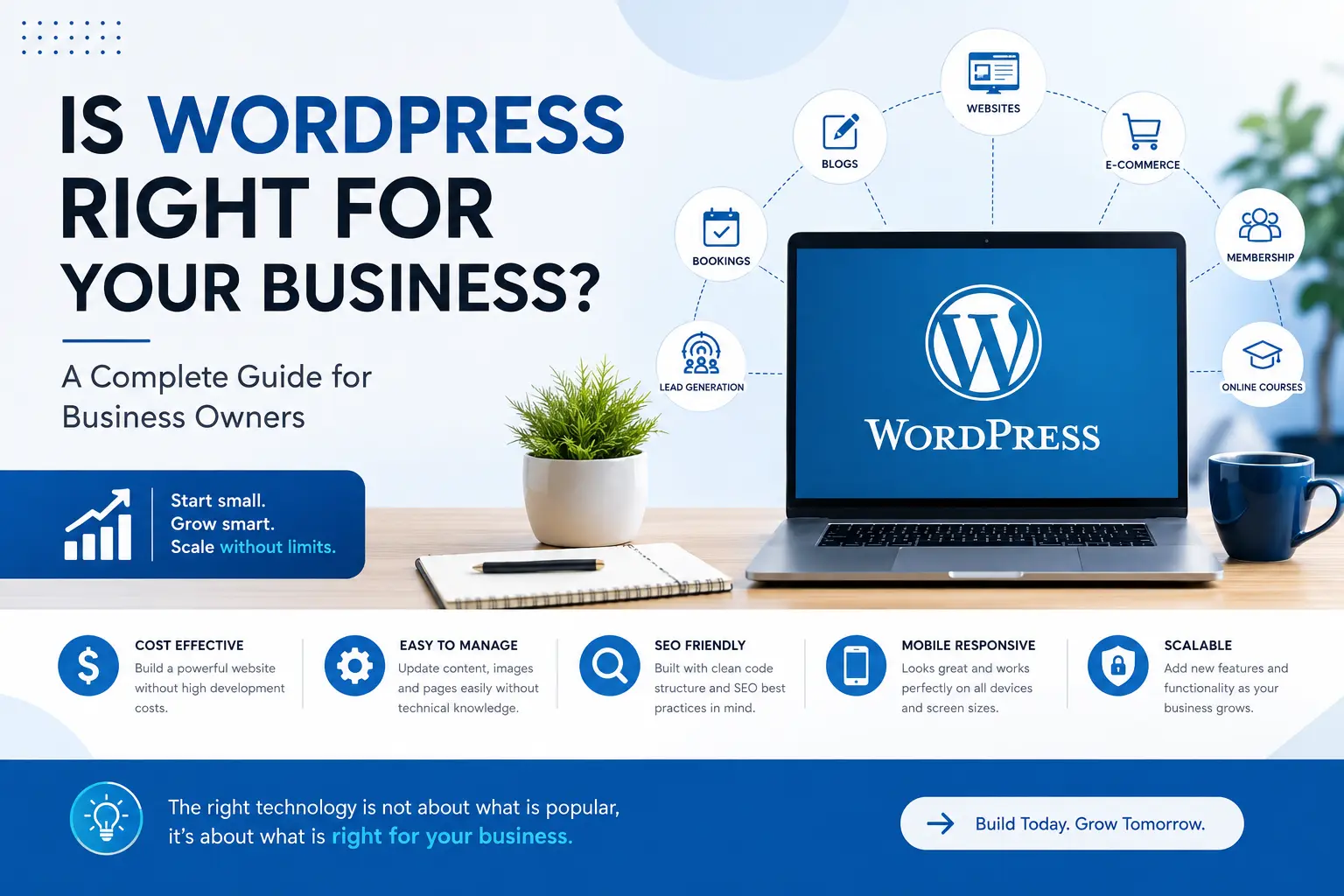
- What types of businesses can use WordPress
- What business tasks WordPress can handle
- How far WordPress can scale
- When WordPress is a good choice
- When you may need custom development
- WordPress vs React from a business point of view
- What to do if your requirements grow in the future
Let’s start.
What Is WordPress?
WordPress is a website platform that allows businesses and individuals to create, manage, and grow websites without building everything from scratch.
It started mainly as a blogging platform, but today WordPress can be used for many different types of websites.
A WordPress website can include:
- Business pages
- Services
- Blog
- Contact forms
- Online stores
- Booking systems
- Membership systems
- Online courses
- Customer accounts
- Payment systems
- Third-party integrations
- Custom features
WordPress can also be extended using plugins and custom development.
This makes it useful for businesses that want to start with a simple website and add more features as their requirements grow.
What Types of Businesses Can Use WordPress?
One of the biggest advantages of WordPress is its flexibility.
It is not limited to one type of business.
Let’s look at some common examples.
1. Service-Based Businesses
If your business provides services rather than physical products, WordPress can be an excellent choice.
For example:
- Digital marketing agencies
- Web development companies
- IT companies
- Consulting businesses
- Accounting firms
- Legal services
- Interior designers
- Architects
- Repair services
- Cleaning services
- Freelancers
- Coaches and consultants
A service-based website can include:
- Home page
- About page
- Services
- Service details
- Portfolio
- Testimonials
- Blog
- Contact form
- Quote request form
You can also connect the website with email marketing tools, CRM systems, WhatsApp, analytics tools, and other services.
2. Small and Local Businesses
Local businesses often need a website mainly to build trust and generate enquiries.
For example:
- Restaurants
- Salons
- Gyms
- Clinics
- Hotels
- Schools
- Training institutes
- Computer classes
- Real estate businesses
- Local shops
- Professional services
A WordPress website can help these businesses show:
- Business information
- Location
- Opening hours
- Services
- Pricing
- Photos
- Customer reviews
- Contact details
- Enquiry forms
- Google Maps
- WhatsApp contact options
For many local businesses, this is more than enough to establish an online presence and generate leads.
3. E-commerce Businesses
WordPress can also be used to build online stores.
With WooCommerce, businesses can sell products online and manage their store from WordPress.
An e-commerce website can include:
- Product listings
- Product categories
- Product variations
- Shopping cart
- Checkout
- Online payments
- Coupons
- Shipping options
- Customer accounts
- Order management
- Inventory management
For example, a business selling clothing, electronics, handmade products, furniture, books, or other products can use WordPress and WooCommerce to create an online store.
4. Educational Websites
Educational organizations can also use WordPress.
For example:
- Schools
- Computer institutes
- Coaching classes
- Training centers
- Online educators
- Skill development organizations
A website can contain:
- Courses
- Course details
- Faculty information
- Admission information
- Student registration
- Online forms
- Events
- Blog
- Study materials
- Online classes
With the right plugins or custom development, WordPress can also be used to build Learning Management System features.
5. Portfolio Websites
If you are a freelancer, designer, developer, photographer, architect, or creative professional, WordPress can be used to build a professional portfolio.
You can display:
- Your projects
- Services
- Skills
- Experience
- Client testimonials
- Case studies
- Contact information
A portfolio website does not need a complex technology stack.
A well-designed WordPress website can provide everything needed to present your work professionally.
6. Blogs and Content Websites
WordPress is especially strong when your business depends on content.
For example:
- News websites
- Technology blogs
- Personal blogs
- Business blogs
- Magazine websites
- Educational content websites
You can easily create and manage:
- Blog posts
- Categories
- Tags
- Authors
- Images
- Videos
- Related posts
This makes WordPress a popular choice for businesses that use content marketing to attract visitors from search engines.
7. Membership Websites
WordPress can also be used to create membership-based websites.
For example, you may want users to:
- Create an account
- Login to the website
- Access private content
- Purchase membership plans
- Access premium resources
- Manage their profile
With the right setup, WordPress can handle these requirements.
8. Booking and Appointment Websites
Many businesses need customers to book an appointment or service online.
For example:
- Doctors
- Consultants
- Salons
- Gyms
- Trainers
- Hotels
- Service providers
A WordPress website can provide:
Select Service → Select Date → Select Time → Enter Details → Confirm Booking
The website can also send email or other notifications to the customer and business owner.
What Business Tasks Can WordPress Handle?
This is where WordPress becomes much more useful for a business.
A website is not only about displaying information.
It can also become a tool that helps your business manage different online activities.
Let’s look at some common tasks.
Lead Generation
One of the most important jobs of a business website is generating leads.
WordPress can handle:
- Contact forms
- Enquiry forms
- Quote requests
- Callback requests
- Newsletter subscriptions
- WhatsApp integration
- Download forms
- Consultation requests
For example, a visitor can fill out a form:
Name → Email → Phone → Service Required → Message
The enquiry can then be sent to your email or connected to a CRM.
Content Management
A business website changes over time.
You may need to:
- Add a new service
- Change pricing
- Add a team member
- Publish a blog
- Upload a new project
- Update company information
WordPress makes this easier because you don’t need to rebuild the entire website every time you want to update content.
Online Payments
Depending on your business requirements, WordPress can integrate with payment gateways.
This can allow businesses to collect payments for:
- Products
- Services
- Courses
- Memberships
- Bookings
- Consultations
This means your website can become part of your sales process.
Customer Accounts
Some businesses need customers to create accounts.
WordPress can support:
- User registration
- Login
- Password reset
- User profiles
- Order history
- Membership access
- Customer dashboards
For more advanced requirements, custom development can be added.
Can WordPress Handle Custom Business Requirements?
Yes.
This is an important point that many business owners don’t know.
WordPress does not mean you are limited to whatever a plugin provides.
A WordPress developer can also create custom functionality using:
- PHP
- JavaScript
- HTML
- CSS
- APIs
- Custom WordPress development
For example, suppose your business needs a custom enquiry workflow.
Instead of installing several plugins, a developer can create a custom system that works according to your business process.
For example:
Customer submits enquiry
↓
Website stores enquiry
↓
Sales team receives notification
↓
Customer receives confirmation
↓
Lead is sent to CRM
↓
Sales team follows up
This type of functionality can be built around WordPress depending on the requirement.
How Far Can WordPress Grow With Your Business?
This is probably the most important question.
“If I start with WordPress today, what happens when my business grows?”
You don’t necessarily need to change your entire technology stack immediately.
Your website can grow step by step.
For example:
Stage 1 — Basic Business Website
You may start with:
- Home
- About
- Services
- Portfolio
- Contact
This may be enough for a new business.
↓
Stage 2 — Lead Generation
As your business grows, you may add:
- Advanced contact forms
- Quote requests
- WhatsApp integration
- Newsletter
- CRM integration
↓
Stage 3 — Content Marketing
You may start publishing:
- Blogs
- Guides
- Case studies
- Resources
- FAQs
↓
Stage 4 — Online Selling
You may add:
- Products
- Shopping cart
- Checkout
- Payments
- Customer accounts
↓
Stage 5 — Advanced Features
Later, you may need:
- Membership
- Booking
- Custom dashboards
- Third-party APIs
- Custom workflows
- Business automation
Many of these requirements can still be handled using WordPress.
Does WordPress Work for Large Businesses?
The answer is: it depends on the business requirements.
WordPress can support websites for organizations of different sizes.
But the important question is not:
“Is my company small or large?”
The better question is:
“What does my website actually need to do?”
A large company may only need a content-driven corporate website.
Another small company may need a highly complex web application.
So company size alone should not decide the technology.
The functionality and technical requirements matter more.
WordPress vs React: Which One Should Your Business Choose?
This is where many business owners get confused.
React is a powerful technology, but it is designed for a different type of problem.
A simple way to think about it is:
WordPress is often a good choice for websites where content, business information, marketing, SEO, and easy management are important.
React is often useful when you are building a highly interactive web application with custom user interfaces and complex application logic.
For example:
| Requirement | WordPress | React / Custom Development |
|---|---|---|
| Business Website | Excellent | Possible |
| Blog | Excellent | Possible |
| Service Website | Excellent | Possible |
| Portfolio | Excellent | Possible |
| SEO Content Website | Excellent | Possible |
| E-commerce | Excellent with suitable setup | Possible |
| Booking Website | Good | Excellent for custom systems |
| Membership Website | Good | Excellent for custom systems |
| Custom Dashboard | Possible | Excellent |
| Complex Web Application | Limited depending on requirements | Excellent |
| Highly Interactive Application | Limited depending on requirements | Excellent |
| Real-Time Application | Usually not the first choice | Excellent |
This does not mean React is better than WordPress.
It means different technologies are suitable for different requirements.
You Don’t Always Need the Most Advanced Technology
This is one of the biggest mistakes businesses make when selecting technology.
Sometimes a business owner thinks:
“React is newer, so React must be better.”
But technology selection does not work that way.
Imagine you need a simple company website with:
- 10–20 pages
- Services
- Portfolio
- Blog
- Contact form
- SEO
- Basic lead generation
Do you really need to build everything from scratch?
Probably not.
WordPress can handle these requirements effectively.
Using a more complex technology when you don’t need it can increase:
- Development time
- Development cost
- Maintenance requirements
- Technical complexity
The goal should not be to use the most advanced technology.
The goal should be to use the right technology for the business requirement.
When WordPress May Not Be the Best Choice
WordPress is powerful, but it is not the right solution for every project.
There are situations where a custom application may be a better choice.
For example:
Highly Complex SaaS Products
If your business is creating a software product where users interact with complex application features, a custom application may be more suitable.
Complex Real-Time Applications
Applications that require extensive real-time interactions may benefit from a custom technology stack.
Advanced Custom Dashboards
If your application requires highly customized dashboards with complex workflows, calculations, permissions, and real-time data, custom development may be a better option.
Very Complex Business Applications
If your website is actually a complete business application rather than a traditional website, you may need a custom architecture.
In these cases, technologies such as React, Next.js, Node.js, or other custom solutions may make more sense.
The right choice depends on the exact requirements.
What If My Business Requirements Grow in the Future?
This is a common concern.
You may think:
“If I choose WordPress today and my business grows, will I have to rebuild everything?”
Not necessarily.
You can plan your website properly from the beginning.
Start with the requirements you actually have today, while keeping future growth in mind.
For example:
Today:
WordPress + Business Website
↓
Later:
WordPress + E-commerce
↓
Later:
WordPress + CRM + Booking + Custom Features
↓
If requirements become much more complex:
Custom Application / React / Next.js / API-based architecture
The important thing is to make the technology change when there is a real business reason for it, not simply because another technology exists.
Don’t Overbuild Your Website From Day One
Imagine you have just started your business.
You need:
- 5–10 pages
- Services
- Contact form
- Blog
- Portfolio
But instead of starting with these requirements, you spend a large amount of money building a completely custom application with features you may never use.
That can be unnecessary.
A better approach is:
Build what you need.
Build it properly.
Keep it scalable.
Improve it when the business requires it.
This approach can save both time and money.
WordPress Can Be a Starting Point, Not a Limitation
Choosing WordPress does not mean your business has to stay at the same level forever.
Think of your website as something that can evolve with your business.
You can start with a simple website and gradually add:
- New pages
- New services
- Blog
- Lead generation
- E-commerce
- Booking
- Membership
- Integrations
- Custom functionality
And if one day your business reaches a point where WordPress is no longer the right technical choice, you can evaluate other technologies.
The technology should change because your requirements changed, not because you feel pressured to use something more modern.
How Do You Know If WordPress Is Right for Your Business?
Ask yourself these questions:
1. Do I mainly need a website to represent my business?
If yes, WordPress can be a strong option.
2. Do I need to update website content regularly?
If yes, WordPress is a good choice.
3. Do I need a blog and SEO-focused content?
WordPress is well suited for this.
4. Do I need lead generation?
WordPress can handle forms, enquiries, integrations, and more.
5. Do I want to sell products online?
WordPress with a suitable e-commerce setup can handle this.
6. Do I need bookings or appointments?
WordPress can support booking functionality.
7. Do I need memberships or online courses?
WordPress can support these with the right setup.
8. Do I need a highly complex web application?
Then you should consider whether a custom application is a better fit.
The Bottom Line
So, is WordPress right for your business?
For many businesses, the answer is yes.
If you need a professional business website, service website, portfolio, blog, e-commerce store, booking website, membership website, educational website, or lead-generation website, WordPress can be a powerful and flexible option.
But WordPress is not the answer to every problem.
If your business needs a highly complex web application, advanced real-time functionality, or a completely custom user experience, technologies such as React or other custom development solutions may be more appropriate.
The important thing is to avoid choosing technology based only on trends.
Choose technology based on your business requirements.
You don’t need to build the most complicated system on day one.
Start with what your business needs today. Build it properly. Keep future growth in mind. And move to a more custom solution when your requirements genuinely demand it.
That is a much better approach than choosing technology just because it sounds advanced.
Not Sure If WordPress Is Right for Your Business?
Every business is different.
Before choosing a technology, it is better to understand your actual requirements, future plans, budget, and the type of users who will use your website.
If you are planning a new website or thinking about improving your existing website, let’s discuss your requirements and find the right solution for your business.
Let’s Build Something That Works for Your Business.
Let’s Work Together →
SEO Details for Your WordPress Blog
SEO Title:
Is WordPress Right for Your Business? Complete Guide
Meta Description:
Wondering if WordPress is right for your business? Learn what types of businesses can use WordPress, what tasks it can handle, how far it can scale, and when custom development may be a better choice.
URL Slug:
is-wordpress-right-for-your-business
Focus Keyword:
Is WordPress right for your business
Secondary Keywords:
- WordPress for business
- WordPress business website
- businesses that use WordPress
- WordPress vs React
- WordPress website for small business
- WordPress website development
- WordPress for small businesses
- WordPress capabilities